How to increase the speed and improve the battery life of an old mobile phone: 5 steps
Read more
Aaj Tak
www.aajtak.in

How to increase the speed and improve the battery life of an old mobile phone: 5 steps

Amid constantly rising smartphone prices, many users face difficulties when purchasing a new device. However, there is a way to improve the performance and increase the battery life of old phones using specific settings.

To improve the smartphone's speed, it is recommended to start by updating the operating system (OS). To do this, you should go to the phone's settings.

It is also critically important to keep free space in the device's memory. Filling up storage can negatively affect the mobile phone's speed; therefore, you need to regularly delete unnecessary photos.

Another measure is to delete unused applications. An excessive number of installed programs often leads to the slowdown of the mobile device.

If an old smartphone is running slowly, its speed can be increased by clearing the cache. It is important to note that every mobile device has different options for deleting the cache.

Furthermore, if the smartphone has started running slowly, you should go to the downloads folder and delete all downloaded content while keeping necessary material in a separate folder.

Similar stories

Essential settings on Android phones to ensure greater durability and performance
Read more
g1.globo.com

Essential settings on Android phones to ensure greater durability and performance

When purchasing an intermediate Android smartphone in 2026, it is essential to pay attention to various technical details in the device's specifications. The focus should go beyond camera megapixels or just the price, seeking a well-balanced device that offers good performance, adequate storage space, and longevity.

RAM Memory: minimum 8 GB

The fluidity of the device is directly affected by the RAM memory. For the year 2026, a minimum of 8 GB of RAM is recommended so that using browsers, social networks, messaging apps, and multitasking occurs without constant freezing. Models equipped with 12 GB or more of RAM are more common and represent an advantage for users who game or wish to maintain a high level of performance for longer.

Storage: minimum 256 GB

Internal storage has become crucial due to the growing memory consumption by Android, applications, and personal data. With 256 GB, the user has more capacity to store videos, photos, documents, and games without the constant need to delete content. This capacity is considered more appropriate for those planning to use the device for several years.

Battery: at least 5,000 mAh

The battery remains one of the most important components for most consumers. In intermediate smartphones, 5,000 mAh is the safe benchmark to support more than one day of use without access to a power outlet. It is advisable to check if the battery uses silicon-carbon technology, as this allows manufacturers to incorporate larger charge capacities into thinner devices. Currently, models are available in stores with capacities exceeding 6,000 mAh, reaching up to 10,001 mAh.

Screen: 120 Hz is the standard

Screen quality directly impacts the user experience. Panels that use AMOLED or similar technology generally provide more vibrant colors, better contrast, and deeper blacks. Furthermore, a 120 Hz refresh rate ensures smoother browsing, faster animations, and fluid scrolling.

Updated Android

The Android support period and the availability of security updates have become decisive criteria when buying phones. Security updates and new versions of Android are vital to keep the device protected and compatible with the latest software. The ideal is to opt for models that offer support for at least five years. Some brands, such as Samsung, already provide six years of updates on certain intermediates, while others, like Motorola, show variations between two and seven years, depending on the specific model. It is recommended to consult the manufacturer's website for this information.

NFC: a differential for payments

NFC is a relevant feature to check before buying, as it is the technology used for contactless payments, but not all budget phones include this feature. The prices of intermediate Android models analyzed in the last week of October ranged between R$ 2,100 and R$ 7,000. Examples presented included the Jovi V70 (8 GB / 256 GB, 7,000 mAh, screen up to 120 Hz), Moto Edge 70 Pro (12 GB / 256 GB, 6,500 mAh, screen up to 144 Hz), Oppo Reno 16 (8 GB / 256 GB or 512 GB, 6,000 mAh, screen up to 120 Hz), Realme 16 (8 GB or 12 GB / 256 GB or 512 GB, 6,550 mAh, screen up to 120 Hz), and Samsung Galaxy A57 (8 GB / 128 GB or 256 GB, 5,000 mAh, screen up to 120 Hz).

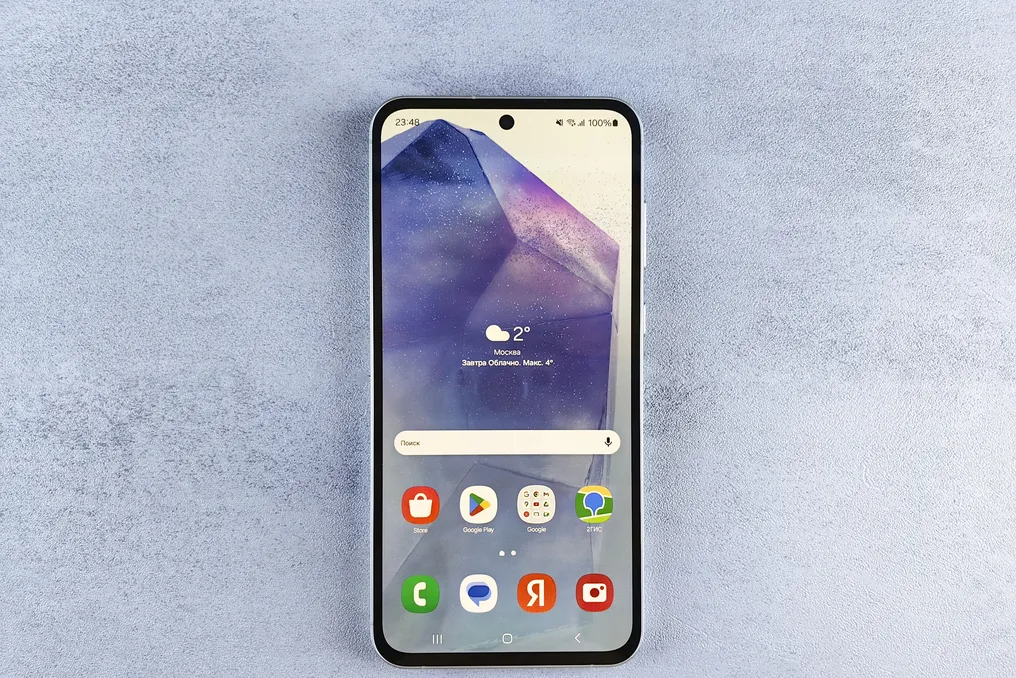
Signs of declining phone battery health: what to look out for
Read more
iol.co.za

Signs of declining phone battery health: what to look out for

The author shared his observation that his iPhone 16e reached a maximum battery capacity of 94% after approximately 14 months of use. This six percent drop seemed unexpected, given that the device still felt relatively new.

By checking the internal battery cycle counter in the settings, the author found it to be exactly 310 cycles. This means that over about 14 months of intensive daily use, 310 full charge cycles were completed, corresponding to 94% maximum capacity.

Studying the engineering aspects, the author concluded that the rate of wear not only meets the standard but is significantly higher than expected.

Starting with the iPhone 15 generation and onward, Apple has redesigned the chemical composition of the battery and charging algorithms to maintain up to 80% of the original capacity after 1000 full charge cycles under ideal conditions.

Statistically, this is equivalent to losing approximately 1% of maximum capacity every 45–50 full cycles. It is worth noting that the historical industry standard in smartphones was long set at maintaining 80% capacity after only 500 cycles. According to this old standard, the device typically lost 1% of battery health every 25–30 cycles, leading to an average annual capacity loss of 8% to 12%.

Newer iPhone models, conversely, show a capacity loss within 6%–10% annually. The author's device showed an average loss of about 5.1% per year, which exceeds standard industry degradation curves and comfortably surpasses Apple's baseline threshold.

To assess battery health, two interconnected mechanisms must be considered: cycle count and calendar aging. 310 cycles in 14 months equates to approximately 22 full cycles monthly, indicating moderately intensive daily use. Nevertheless, a total loss of only 6% capacity over 310 cycles points to an ultra-efficient degradation rate—approximately 1% every 52 cycles, which almost perfectly matches Apple's longevity rating of 1000 cycles.

Naturally, the numbers on paper are only meaningful when controlling external factors. Excessive heat is the most destructive factor for any lithium-ion cell. Subjecting the phone to prolonged fast charging in thick insulating cases or running the processor with demanding mobile games while connected to a high-power charger will accelerate the degradation of the internal chemistry much more severely than ordinary daily use.

When analyzing your own battery health metrics, you should consider charging cycles, chronological age, and thermal impact comprehensively, rather than focusing solely on one percentage value. If your device's degradation curve is similar to the author's figures, there is no need to worry. At this rate of wear, the hardware is capable of lasting four or five years before a battery replacement is required at the Apple Store or a more expensive upgrade.

Reasons for rapid smartphone battery drain even when the device is not in use
Read more
www.aajtak.in

Reasons for rapid smartphone battery drain even when the device is not in use

Sometimes there is a situation where a smartphone discharges very quickly despite the user not using it. This can lead to the device suddenly shutting down during important tasks, causing discomfort. There are several reasons explaining why the battery continues to drain even when the phone is in standby mode, and there are simple ways to fix this problem.

Many users, regardless of their smartphone's age, encounter this issue and tend to assume that the battery is faulty. However, this is not always the case. Often, the cause of rapid depletion is the activation of certain settings on the phone. By adjusting these settings, you can significantly improve the device's battery life.

Background applications also consume energy. After using programs such as WhatsApp, Instagram, or other stores, users often do not close them completely. As a result, some applications continue to run in the background, using data and battery charge, which creates the impression that the battery is draining even without active use of the phone.

To solve this problem, you should check the phone's settings and determine which specific applications consume the most energy in the background. Applications that are not constantly needed can be configured not to run in the background.

Another factor affecting power consumption is the constant activation of geolocation. Many applications request location permission upon first launch, and users often choose the 'Allow always' option. This allows some applications to use location data even when the phone is not in use, leading to faster battery drain.

To prevent this, you need to check the geolocation permissions in the application settings. Those who do not need constant location tracking should choose the 'Allow only while using the app' option. This will limit geolocation usage only to the moment of active program use, helping to save charge.

Significant energy consumption can also occur due to poor mobile signal quality. If the user is in an area with a weak network signal, the phone spends more power searching for a better connection. Furthermore, frequent switching between 4G and 5G networks also increases battery consumption, which directly affects the device's overall range.

In cases of weak 5G signal in a region, you can reduce power consumption by changing the phone's network settings and selecting 4G network usage if possible. This can reduce power consumption in some scenarios.

Rapid discharge problems can also be caused by software glitches or incorrect operation of an application. In addition, constant notifications activate the screen and other phone functions, which also consumes charge. To minimize these factors, it is recommended to regularly update the phone's software and disable notifications for secondary applications.

By following all these recommendations, you can mitigate the problem of rapid battery drain even when the device is not in use. If the problem persists after implementing all tips, you should check the condition of the battery itself, as the cause may be wear or malfunction.

Popular